
Rust PvE servers and private servers are usually compared by people who want to know whether to join an existing PvE community or start a server just for friends. If your group wants its own Rust space, shared progress, and control over who joins, this guide is for you. It compares both options in practical terms, then shows how to get your own Rust server on EphemeralHost. Rust runs there on the Performance tier, a dedicated VM, from 0.99 €/h; you can check the Rust details or the full price list, billed per minute.
What people mean by Rust PvE servers
When people search for Rust PvE servers, they usually mean servers where the focus is on surviving, building, gathering, and exploring without the usual expectation of constant player-versus-player combat. The appeal is simple: a more relaxed way to learn the game, make progress, and spend time together without every session turning into a fight with strangers.
That is why many groups look for Rust PvE servers first. They want a calmer pace, fewer interruptions from random players, and more room to understand the game’s survival loop. For newer groups, that can feel like an easier starting point than jumping straight into a more competitive public environment. If you are comparing broader multiplayer setups in other games too, the same basic choice comes up in guides about public lists vs private play, co-op vs a dedicated server, or non-dedicated vs dedicated play.
Still, a public PvE server is a shared space. You are joining a server that exists for a wider community, not one created only for your own friend group. That has one clear upside: you can join an existing world with an established community and do not need to set anything up yourself.
The tradeoff is control. Because it is a community server, the rules, schedule, and overall player environment are shaped by that server’s owner and population, not by your group. For friends who mainly want their own space, that difference matters.
How a private Rust server changes the experience
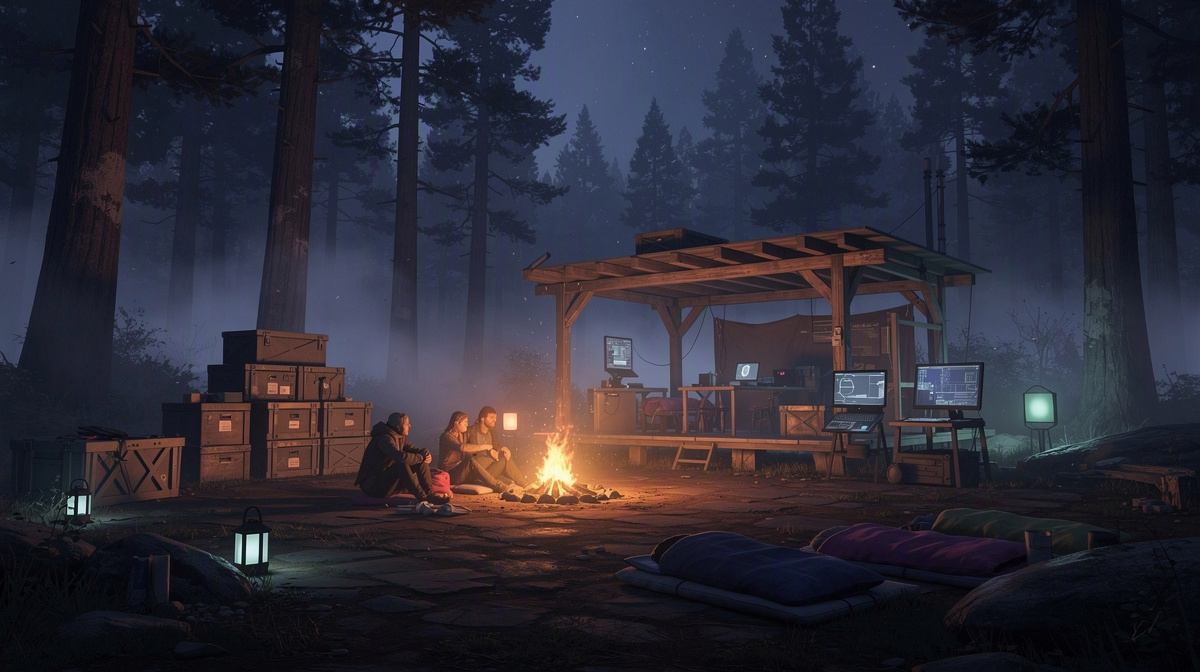
A private Rust server changes the social side more than anything else. When people search for rust pve servers, they often want less friction, fewer interruptions, and more room to play with friends. A private server gives you that by making the world yours to share only with the people you invite.
That changes the session in a few practical ways.
- your group sets the mood by who is there
- plans are easier to keep because the same people come back
- builds and progress feel tied to your group, not a public crowd
- time online feels more focused on playing together
On public Rust PvE servers, the space belongs to a wider community. Even if the style is relaxed, you are still joining a world shaped by other players, their habits, and their timing. That can be a good fit if you like meeting whoever is around and adapting to an existing server culture.
A private server fits a different goal. It is for friends who want Rust to feel like a shared group world instead of a public place they happen to be visiting. That can matter a lot for small groups, especially when some players want to learn at their own pace or just want a quieter setting.
It also makes invitations simple. You decide who gets the address, so access stays centered on your group. For many friends, that is the real difference: not just PvE instead of PvP, but private space instead of community space.
So the choice is less about which style is more "correct" and more about what kind of experience you want. If the goal is a Rust world that feels like it belongs to your group, private play usually matches that better.
When friends usually prefer private over public PvE
Friends usually lean toward a private server when the main goal is a shared world that matches their own rhythm, not a public community’s rhythm.
That tends to be true for groups like these:
- a few friends who want to learn Rust together without outside players around them
- a group that treats each session like a planned hangout
- players who want progress to stay tied to the same people from one session to the next
- friends who would rather decide themselves who gets invited
Public PvE can still suit players who enjoy joining a broader community. But for a small group, that shared community can make the world feel less centered on the people who actually know each other. Your group is fitting into someone else’s space instead of using one meant only for your sessions.
Private play also fits friends who hop between games and want the same kind of setup each time. You see that in guides on running a Minecraft Bedrock server for friends, setting up TF2 for your group, starting a CS2 server for friends, and making a Valheim server for your group.
So the real tipping point is usually simple: if your group wants Rust to feel like a private place to return to together, private beats public PvE more often than not.
How to get a Rust server for your group on EphemeralHost
If you searched for rust pve servers but your real goal is a private world for friends, the setup here is short.
You make the server in the browser, choose the slots you want, start it when your group is ready, and send your friends the address shown in the panel. You can start it in the panel or with /start in Discord.
In practice, it looks like this:
- create your Rust server in the browser
- pick the slots for your group
- start it in the panel or with
/startin Discord - share the address from the panel with your friends
That means your group is not searching through public Rust PvE servers every time you want to play. You use one server for your own sessions and invite only the people you want there.
Rust runs on EphemeralHost’s Performance tier, a dedicated VM, from 0.99 €/h. Billing is per minute. You pay with prepaid credit, there is no subscription, and the credit never expires.
If you are new, there is also a small starting balance available: Discord accounts at least 30 days old can get €2 starter credit.
The part many groups care about most comes after the session. When nobody is online for 20 minutes, the server pauses by itself and the world stays saved. If that timing does not fit your group, you can change it per server to 1 hour, 3 hours, or never.
So for friends who want Rust on their own schedule, the routine is simple: start the server when you want to play, join with the address from the panel, and let it pause after the group is done.
Cost, uptime, and what to expect from this kind of setup

For a friends-only Rust server, the main tradeoff is simple: you are not paying to keep a world online all day for random drop-ins. You pay for the time your group is actually in there together.
That makes this setup a better fit for planned sessions, weekend play, or groups that rotate between games. Rust runs on the Performance tier, a dedicated VM, from 0.99 €/h, with billing per minute. If you want a closer look at how that compares for another Rust setup, this guide covers modded costs while you play.
A few practical points matter here too:
- the server can stop between sessions instead of sitting online unused
- the saved world is kept for the next time your group comes back
- games with a world are backed up at every pause, with the last 3 backups kept for free
- Backup-Plus adds hourly backups and keeps 30 days for +€0.05/h
So the expectation is not nonstop uptime. It is a private Rust world your group can return to, with costs tied more closely to actual sessions than to idle time.
Common questions about Rust PvE servers and private servers
Do Rust PvE servers have to be public?
No. People often use “rust pve servers” to mean public servers built around a calmer style of play, but PvE and public are not the same thing. Your group can also use a private server and keep the focus on building, surviving, and exploring with people you know.
That is often the better fit when you want the world to feel consistent from session to session instead of shared with a larger community.
Who should pick a private Rust server instead?
A private server usually makes more sense for:
- friends who want to play only with each other
- groups that want to keep access limited
- players who prefer a familiar world each time they come back
- people who do not want their plans shaped by whoever else is online
If that sounds closer to your group than joining a public community, private play is probably the more suitable option.
Do we need to leave a Rust server running all the time?
Not for this kind of setup. On EphemeralHost, Rust runs on the Performance tier, a dedicated VM, from 0.99 €/h. You start the server when your group wants to play.
After 20 minutes with nobody online, it pauses by itself while the world stays saved. That can be changed per server to 1 hour, 3 hours, or never.
How do friends join the same private Rust server?
One person creates the server in the browser, picks the slots, and starts it in the panel or with /start in Discord. Then the group joins with the address shown in the panel.
So the basic flow is:
- create the server
- choose the slots
- start it
- send the address to friends
How do payments work for a friends-only Rust server?
EphemeralHost uses prepaid credit. There is no subscription, and the credit never expires. Discord accounts at least 30 days old can get €2 starter credit.
Choosing between Rust PvE servers and a private server
Searches for rust pve servers often come down to one question: join a shared community, or keep Rust just for your own group.
Pick public PvE if you want:
- an existing player base
- a world that is active beyond your group
- a community with its own routine
Pick a private server if you want:
- a friends-only space
- invites handled by your group
- sessions shaped by your own plans
For most friend groups, the deciding factor is ownership of the experience. Public PvE means joining someone else’s world. Private play means your group returns to the same world together, with access centered on the people you invite.