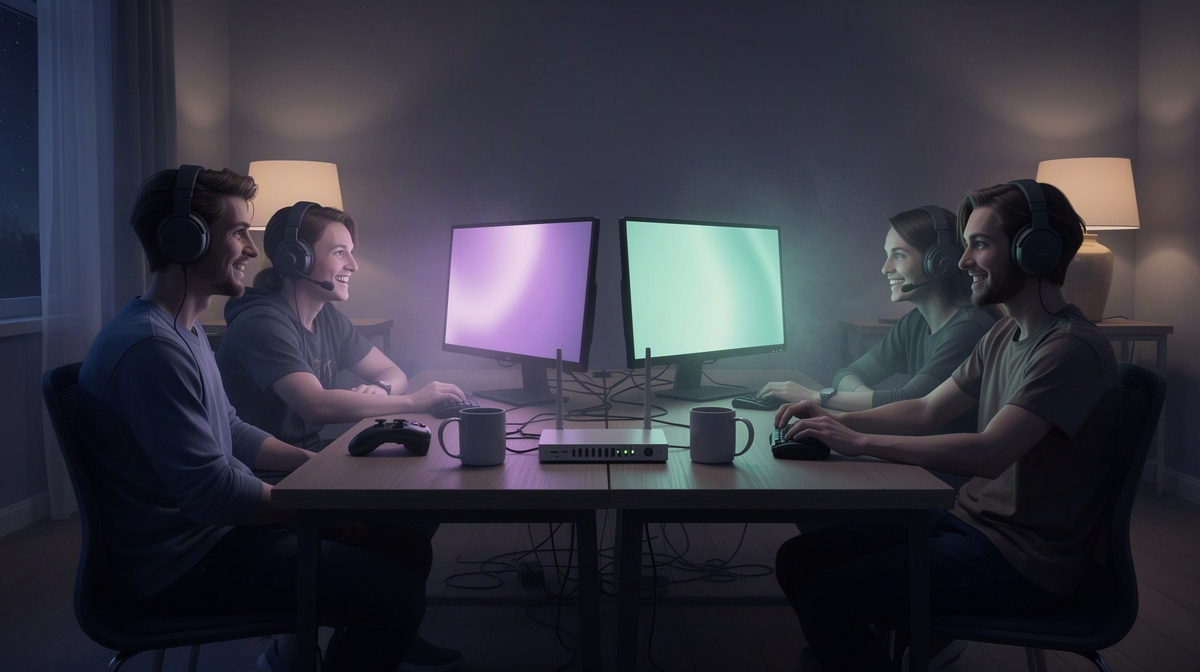
A private Counter-Strike 2 server gives your friend group a shared place to meet for matches, practice, or casual sessions without building your plans around public lobbies. This guide stays focused on the basics: getting a friends-only server running and making it easy for everyone to join.
If you want the essentials before you start, check the full per-minute price list, the Counter-Strike 2 page with price and join info, and, for another friends-focused example, this Valheim guide.
From here, we will cover:
- why a private server fits a friend group
- the simple setup flow
- how costs work
- which extras may be useful
Why a private CS2 server works well for a friend group
A private CS2 server gives your group a room of its own. Instead of dropping into public matches, you can meet in the same place when everyone is ready and keep the session centered on your own plans.
That suits the way many friend groups actually play. Not every night is the same. Sometimes you want a few relaxed matches. Sometimes you want to split into two sides, practice together, or run a regular game night with the same people.
A private server is useful for things like:
- casual matches with friends
- warmups before playing something else
- in-group scrims
- recurring sessions with the same lineup
It also helps keep the social side simple. One person can set things up, share the address, and the group meets there. That is often easier than trying to gather everyone around whatever public option happens to fit at the time.
For friends, the bigger advantage is that the server fits your schedule instead of becoming a separate project. You start it when your group wants to play together. After that, the focus can stay on the match, the conversation, and the evening itself.
That makes a private CS2 server a practical choice for groups that want a familiar place to return to without adding extra friction every time they want to play.
How to get your Counter-Strike 2 server online

Getting the server online follows a simple order. First, create the Counter-Strike 2 server in the browser. As part of that setup, choose the slot count that fits your group, so the server matches the size of the sessions you expect to run.
Counter-Strike 2 on EphemeralHost runs on the Performance tier, which is a dedicated VM. For this game, the price starts from 0.99 €/h.
Once the server exists, the next step is just to start it when your group is ready to play. You have two straightforward ways to do that:
- start it in the web panel
- start it with the /start command in Discord
That gives your group some flexibility. If you are already in the browser organizing the session, the panel is the direct option. If your group is talking in Discord and wants to get the match going from there, the command is another convenient way to begin.
After the server is running, the panel shows the address to share with your friends. That is the key handoff point: one person gets the server online, then sends the address to the rest of the group so everyone can join the same place.
The exact joining steps do not need a long detour here. They are covered on the Counter-Strike 2 game page, along with the game’s price and join information. For most groups, the main thing to understand in this guide is the flow:
- create the server in the browser
- choose the slots for your group
- start it in the panel or with /start in Discord
- share the address shown in the panel
That keeps the setup practical and easy to follow, especially if your goal is simply to get a friends-only match online without turning the process into a bigger project.
What you pay for, and what you do not
Costs are based on credit you add ahead of time, not on a recurring plan. There is no subscription, and prepaid credit never expires. That suits a group that plays some weeks and skips others, because the balance can sit there until the next session.
For Counter-Strike 2, the server price is from 0.99 €/h. Billing is per minute, so charges track the time the server is running instead of a fixed monthly fee.
That makes the cost structure fairly simple:
- add credit when you want to
- use that credit for sessions later
- keep unused credit for future matches
- pay for add-ons only while the server runs
This also helps when a group shares costs informally. Instead of planning around a monthly bill, you can look at actual play time and top up only when needed.
If you want to try the service with a small starting balance, there is one extra detail worth knowing: Discord accounts that are at least 30 days old can receive €2 starter credit. That is just starter credit, not a subscription or a separate plan.
The main thing you are not paying for is time between sessions as a standing monthly charge. You are funding a balance, then using it when your group wants match time.
Optional extras follow the same basic billing logic. If you later add things like demos, more power, or Azure DDoS IP Protection on the server's own IP, those are billed only while the server runs too.
What happens when your group logs off
One of the most practical parts of the setup is what happens after the match night ends. After 20 minutes with nobody online, the server pauses by itself. That means your group does not have to treat the end of every session like a checklist item just to avoid leaving it running longer than needed.
In the product’s terms, when nobody is online it pauses by itself and the world stays saved. For a casual friend group, that keeps the flow simple. People can log off, head to bed, or move on to something else without feeling like someone has to stay behind to manage the server.
The idle timeout is not fixed to one pattern, either. Per server, it can be adjusted to:
- 1 hour
- 3 hours
- never
That gives your group some room to choose what fits. A shorter pause window can make sense if you want tighter control over spending. A longer one can help if your matches have long breaks between them or people often step away and come back later.
This is both a convenience feature and a spending control feature. The server is not meant to sit running unnecessarily after your group leaves. And because the setup is on demand, regular game nights can stay easy to plan: when the next round begins, you can just start the server again and pick up from there.
Which optional add-ons might make sense for CS2
For a friends-only CS2 server, add-ons are mostly about deciding what you want to keep after the match and how much extra capacity you want during it.
One option is CS2 demos. For +€0.10/h, every match is recorded without voice, and the files stay available to download for 14 days. That can be handy for replaying a close round, checking how a play unfolded, or saving a session your group wants to revisit later.
Another option is more power on Performance: 8 cores and 32 GB for +€0.49/h. Some groups may prefer that extra room for a planned game night where they want a larger setup than the standard Performance server.
There is also optional Azure DDoS IP Protection on the server's own IP for +€0.49/h on Performance servers. That may be relevant if your group wants that added protection for a session.
The practical choices are simple:
- stay with the standard setup for regular matches
- add demos if you want recordings afterward
- add 8 cores and 32 GB if you want more power for the session
- add Azure DDoS IP Protection if you want that option on the server's own IP
These extras are there if your group wants them, but they are not required to get a private match going.
Common questions about hosting a CS2 server for friends
Do all of us need to manage the server?
No. One person can handle the setup and share the address from the panel with the rest of the group. That keeps the admin side light for everyone else.
Can we use it for small matches or a bigger group?
Yes. You pick the slot count when you create the server, so the setup can match the size of your friend group for that session.
Is this a monthly plan?
No. EphemeralHost uses prepaid credit without a subscription, and the credit never expires. That fits groups that play irregularly and do not want an ongoing bill between sessions.
What if we only play now and then?
That is fine. Counter-Strike 2 starts from 0.99 €/h, with per-minute billing while the server runs. If your group skips a week or takes a longer break, your remaining credit stays there for later.
Can we make one game night easier to review afterward?
If you want recordings, CS2 demos are available for +€0.10/h. Every match is recorded without voice, and the demo files can be downloaded for 14 days.
Are there extra options for a planned session?
Yes. For Counter-Strike 2, optional add-ons include:
- 8 cores and 32 GB for +€0.49/h
- Azure DDoS IP Protection on the server's own IP for +€0.49/h
- CS2 demos for +€0.10/h
Add-ons are billed only while the server runs.
Is there any starter credit?
There is for some users. Discord accounts that are at least 30 days old can receive €2 starter credit.
Do we need to keep paying for time after the match ends?
Not if the server is not running. Billing applies while the server runs, and the article already covers how pausing works when nobody is online.
Ready to set up your friends-only CS2 server?
If your group wants a private place for matches, you can keep the last step straightforward.
- create the server in the browser
- pick the slots you need
- start it in the panel or with
/startin Discord - send the address from the panel to your friends
Counter-Strike 2 runs on the Performance tier, a dedicated VM, from 0.99 €/h. When the session is over and nobody is online, it pauses by itself, so your group can come back for the next game night without extra cleanup.