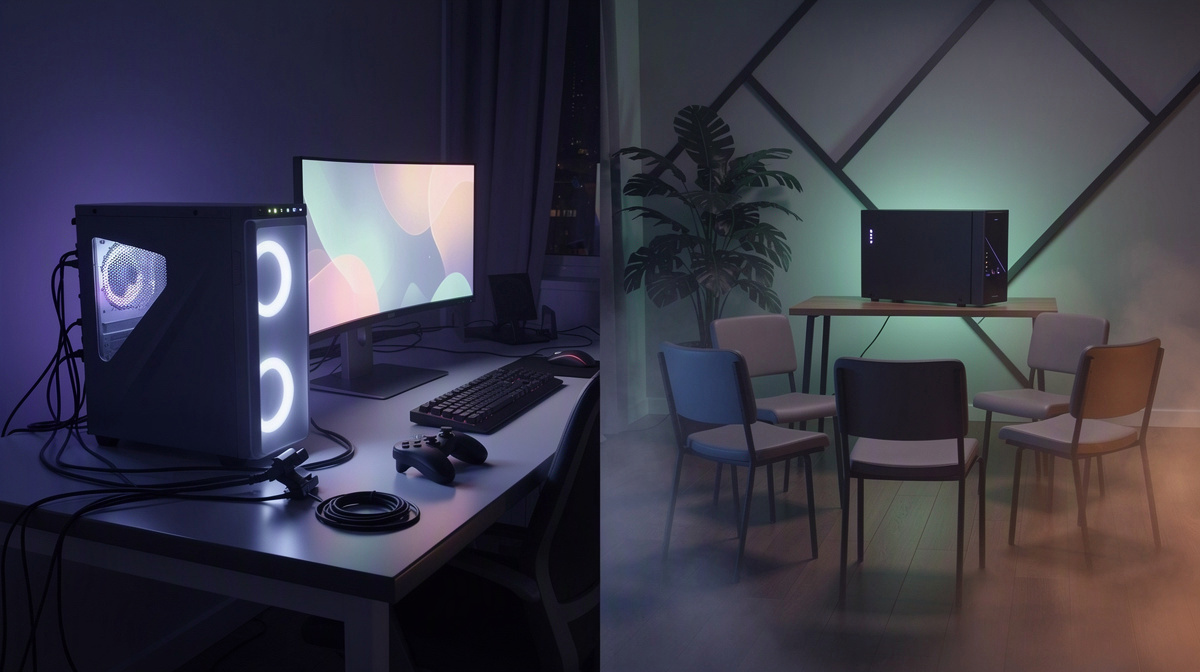
People searching for an ark non dedicated server usually want to know how it compares with a dedicated server for a small group of friends. This guide explains what a non-dedicated session is, what a dedicated server changes, and which option fits different friend groups in ARK: Survival Evolved. The big questions are practical: who needs to be online, how joining works, what happens to progress, and what the cost looks like over time. For groups that want a separate private world, ARK: Survival Evolved on EphemeralHost runs on the Modded tier from 1.19 €/h, with per-minute billing for play-time-based costs.
What an ARK Non-Dedicated Server Actually Is

An ARK non-dedicated server is basically a friend-hosted co-op session, not a separate server that exists on its own. One player starts the world from their own game, and everyone else joins that player’s session.
That is a big reason this option is common for small groups. It is a simple way to jump in together without setting up a standalone server first. If your group mainly wants to learn the game, test the waters, or play a casual session with the same few people, that can feel easy and familiar.
The tradeoff is that the host’s game session is the center of everything. The host is not only playing in the world, but also carrying the session for everyone else. In practical terms, the group’s play time depends on that person being there and running the game.
So if the host logs off, needs a break, or stops the session, the world usually stops for everyone too because it is tied to that player’s session rather than living separately.
For short, planned sessions, that can be perfectly fine. For a friend group over time, though, it is less flexible when:
- different people want to play at different times
- progress depends on one person being available
- the group wants the world to feel shared, not attached to one player
That is where a dedicated server becomes the alternative. If your group wants a world that feels more independent from a single player, the comparison starts to look a lot different. You can also see similar group-play tradeoffs in other co-op vs server comparisons.
How a Dedicated Server Changes the Experience
A dedicated server means the group’s ARK world runs as a separate game server instead of living inside one friend’s own play session. That changes the feel of the whole setup.
In everyday terms, the world is no longer centered on one player’s computer or on one person needing to host from inside the game. Instead, the group is meeting in a shared world that exists apart from any one player being the host.
For many friend groups, that is the point where a dedicated server starts to make more sense. If you want a world that feels more like a shared home for long-term progress, dedicated play is usually the better fit than a non-dedicated session.
It also makes joining clearer. Friends join using the address shown in the hosting panel, rather than waiting for one person to invite, launch, or keep their own game session open. Each game page lists the steps to join, so this guide can stay focused on the difference between server types instead of getting pulled into game-specific instructions. If you want ARK-specific details, see the ARK server page.
The other big change is scheduling freedom. With non-dedicated play, one specific person often becomes the gatekeeper because the session depends on that person starting their game. With a dedicated server, the same world can be started for the group without depending on one friend to launch their in-game session first.
That often makes group play feel less awkward when different people take turns organizing game nights. The world feels like it belongs to the group, not to whichever friend happens to be hosting. You can see the same general shift in other private server guides, like this TF2 example and this Valheim guide.
When Non-Dedicated Is Enough, and When It Starts to Feel Limiting
A simple way to test it is this: non-dedicated is often enough when the same host is almost always around and your group usually plays at the same times. If everyone tends to log in together for one shared session, that setup can stay convenient for quite a while.
It also makes sense for groups that are still feeling out ARK: Survival Evolved together. If you are not sure yet whether this will become a long-running world, starting with the simpler option can be a reasonable way to learn the game as a group before thinking harder about what server costs look like.
The limits usually show up in everyday group habits:
- one friend slowly becomes the default organizer because everyone depends on that person being available
- progress gets harder to balance when some players want extra time in the world and others are offline
- the host has to think not just like a player, but like the person responsible for bringing the world online for everyone else
That is the point where a dedicated server starts to look more useful. Once your group cares about a shared long-term world, regular sessions, or simply not relying so much on one person, the separate-server approach tends to fit better.
This is less about being "hardcore" and more about how independent you want the world to be from one player’s schedule. In a lot of games, private servers become more appealing once the group wants a space that feels like it belongs to everyone, not just a session attached to one host. You can see that same pattern in guides for Minecraft private worlds, Bedrock friend servers, Rust groups, and CS2 friend matches.
What ARK Server Costs Look Like for a Group of Friends

When people search for ark non dedicated server, cost is usually part of the decision. A friend-hosted session may seem cheaper at first because there is no separate server bill. The tradeoff is not really about a monthly plan versus no plan here, but about whether your group wants to pay only when the world is actually in use.
For a separate ARK world, ARK: Survival Evolved on EphemeralHost is from 1.19 €/h.
The useful part for a group is how that spending is handled:
- billing is per minute
- payment uses prepaid credit
- there is no subscription
- prepaid credit never expires
That setup can be easier for friends who want to add credit now and use it across future sessions instead of committing to a recurring charge.
There is also a small starting amount for some new users: Discord accounts that are at least 30 days old can get €2 starter credit.
Another cost detail matters for shared worlds. If your server is empty, it pauses after 20 minutes by itself. The world stays saved, so your group is not paying just to leave the server sitting unused between sessions. If needed, that pause setting can be changed per server to 1 hour, 3 hours or never.
If your group adds extras later, those add-ons are billed only while the server runs. That keeps the budget tied to actual play sessions rather than idle time.
How to Choose the Right Option for Your Group
When people search for ark non dedicated server, the best choice usually comes down to one question: do you want a session around one host, or a private world your group can start when needed?
Choose non-dedicated when your group is small, sticks to one schedule, and is happy to rely on the same person to host each time. It fits groups that treat ARK: Survival Evolved like a planned co-op session.
Choose dedicated when your friends want the world to belong to the group instead of one player’s game. That matters if different people set up different play nights, if the usual host is not always around, or if you want joining to feel more straightforward.
For a dedicated ARK: Survival Evolved server on EphemeralHost, the basic flow is:
- create it in the browser
- pick the slots
- start it in the panel or with
/startin Discord - give friends the address shown in the panel
ARK: Survival Evolved runs on the Modded tier from 1.19 €/h. When nobody is online, the server pauses by itself after 20 minutes and the world stays saved. That can make a separate server easier to fit around normal friend-group play.
Common Questions About an ARK Non-Dedicated Server
Can a dedicated server make it easier for different friends to host the same world?
Yes. A dedicated server is not tied to one player’s own game session, so the group does not need the same person to be the host every time. Any friend with access can start the server for the group, then others can join using the address shown in the panel.
That is useful when:
- different people organize different play nights
- the usual host is busy
- your group wants the world to feel shared
Does a dedicated ARK server need to stay running all day?
No. For ARK: Survival Evolved on EphemeralHost, the server pauses by itself after 20 minutes when nobody is online, and the world stays saved. The pause setting can be changed per server to 1 hour, 3 hours or never.
That means a group can treat it more like a world they start for game night, instead of something they have to keep running between sessions.
What if our group plays only once in a while?
That is often where pay-for-play-time hosting makes more sense than a server you expect to leave online all the time. ARK: Survival Evolved is from 1.19 €/h on EphemeralHost, billed per minute with prepaid credit and no subscription.
If your group comes back after a break, the credit is still there because prepaid credit never expires.
Is a dedicated server only worth it for large groups?
Not necessarily. Even a small friend group may prefer a dedicated server if the main goal is having a private ARK world that is separate from one person’s game.
The size of the group matters less than the play style. If your friends want a shared world they can start in the browser, launch in the panel or with /start in Discord, and join through the address shown in the panel, dedicated can be the better fit.
The Better Fit Depends on How Your Friends Play
Some groups just want a session one friend opens and everyone joins. Others want an ARK world that feels shared, even if different people take turns starting it.
A dedicated server suits that second case:
- the group can create it in the browser
- choose the slots
- start it in the panel or with
/startin Discord - share the address shown in the panel
When nobody is online, it pauses by itself after 20 minutes, and the world stays saved.