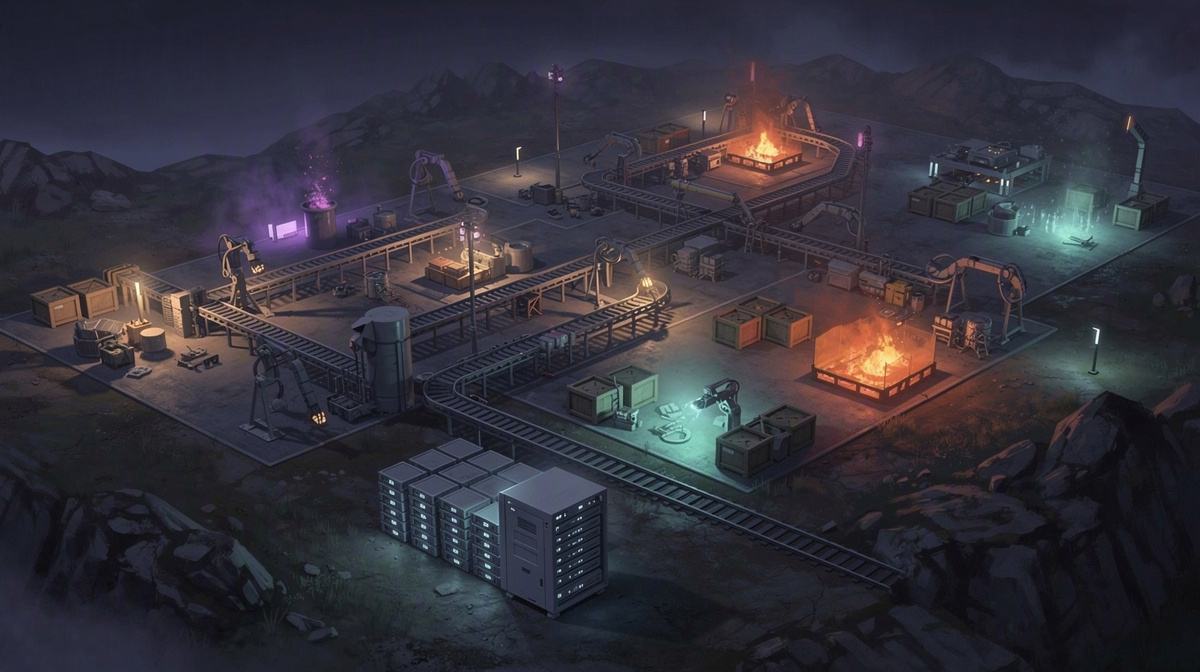
People searching for server save backups want a clear answer before they invite friends into a shared world: what is kept, and what is not. This guide covers server save backups for a Factorio server used by a small group, with the focus on how shared progress carries from one session to the next.
It also fits the practical first step of setting up a server for friends:
- create it in the browser
- pick the slots
- start it in the panel or with /start in Discord
- share the address shown in the panel
For Factorio on EphemeralHost, hosting starts from 0.25 €/h.
What Server Save Backups Mean for a Factorio World
When people talk about server save backups, they usually mean two related but different things. A save is the current state of your Factorio world: the map, the factory, and the progress your group has made together. A backup is an older copy of that world kept in case you want or need to go back. If you want a more basic definition, this guide on what a save file is explains the idea in simple terms.
That difference matters a lot in a co-op game like Factorio. A shared world can become important fast because several friends are building in the same place over multiple sessions. One person expands production, another reorganizes part of the base, and someone else explores or adds defenses. Before long, that world represents many hours of group progress rather than a quick test run.
This is also why people search for server save backups so often. Usually, they want to know whether a dedicated server keeps their progress safe between play sessions, or whether everyone will have to start over the next time they log in. The save is what lets the same world continue later, with your group picking up where it left off instead of rebuilding from nothing.
Backups matter for a different reason: they give you an earlier version to fall back on. Friends usually worry about things like:
- accidental changes
- unwanted destruction
- realizing later that the world was better in an earlier state
In short, the save keeps your current Factorio world going, while backups are there in case you need a stored earlier copy. For a group server, both ideas matter because the world is shared, long-running, and shaped by everyone who plays.
How Save Backups Work on an EphemeralHost Factorio Server
On EphemeralHost, Factorio runs on the Casual tier. For a group of friends, that means the server is set up to be started when you want to play, instead of needing to stay online all day. Factorio hosting starts from 0.25 €/h.
The basic pattern is simple. Your server runs while your group is playing, and you start it when needed. If you are comparing the idea with broader guides about cloud backup services for game servers, the useful point here is that save backups are tied to how the server pauses and resumes between sessions.
When nobody is online, the server does not just disappear or reset. After the idle period, it pauses by itself and the world stays saved, so your group can come back to the same shared factory later. By default, after 20 minutes with nobody online it pauses by itself. That idle pause setting can also be changed per server to 1 hour, 3 hours or never.
For a game with a persistent world like Factorio, that pause behavior is also where backups come in. For games with a world, backups are made at every pause, and the last 3 backups are kept for free. So if your group finishes a session, leaves the server empty, and it reaches the pause point, there is both the saved world state and a recent backup history tied to that pause.
If you want more backup coverage, there is also Backup-Plus. That add-on backs up hourly and keeps 30 days for +€0.05/h. That can be useful for groups who want more restore points across a longer stretch of building and planning, much like people looking up server backups for Minecraft worlds are often trying to understand the difference between a current world and older copies.
The important takeaway is that on an EphemeralHost Factorio server, saves and backups fit around how friends actually play: start the server, play together, leave when you are done, and let the world remain saved when the server pauses.
How Your Group Starts a Factorio Server for Friends
Getting a Factorio server online for friends is straightforward when you keep it to the basic steps. Your group first creates the server in the browser, then picks the slots during setup. After that, the server is ready to be started when you want to play together.
There are two simple ways to start it:
- start it in the panel
- start it with /start in Discord
If your group likes chat-based controls, this fits well with broader ideas from private server admin commands. The main point is not extra setup, but that your friends can bring the server online when it is time to play.
Once the server is running, the panel shows the server address. That is the address your group shares with friends so everyone joins the same Factorio world. People often search for guides about addresses, IPs, or connection details because they are trying to understand how friends actually get into the same game session. General explainers like port forwarding for game servers, server IP and port basics, or even a virtual private server guide for CS2 cover related ideas, but here the practical step is simple: check the panel, copy the address it shows, and send it to your group.
Paying for the server is also kept simple. EphemeralHost uses prepaid credit without a subscription, and the credit never expires. That works well for a group of friends who may play in bursts instead of on a fixed schedule.
There is also a small starting boost: €2 starter credit is available for Discord accounts at least 30 days old. For a new group, that can make it easier to set up the server, share the address, and get everyone into the same world.
What Friends Usually Want From Backups
When friends look up server save backups, they are usually trying to avoid awkward group problems, not learn backup theory. On a shared Factorio server, one world belongs to everyone who joined it, so a backup matters when the group wants a way back to an earlier point instead of treating each session like a fresh start.
What people usually care about is simple:
- a mistake does not have to define the world forever
- a recent earlier copy exists, not just the latest state
- the group can play in short bursts without turning the server into a full-time commitment
That last point matters more than it sounds. Many groups play for one evening, stop for a few days, then come back. Backups make more sense when they fit that pattern instead of assuming someone is managing the server every day.
For Factorio on EphemeralHost, the useful part is how the backup system matches a friends-only server. For games with a world, backups are made at every pause, and the last 3 backups are kept for free. If your group wants a longer history, Backup-Plus backs up hourly and keeps 30 days for +€0.05/h.
Cost is part of the decision too. Factorio hosting starts from 0.25 €/h, and billing is per minute, so groups can check the price list for every game and think in terms of actual play sessions rather than paying for idle time between them.
In practice, that is what most friends want from backups: room to keep building together without feeling like one bad session means starting over.
Questions Friends Ask About Server Save Backups
Can our group come back to the same world on another night?
When nobody is online, the server pauses by itself and the world stays saved, so your group can return to the same shared world later.
That is the main thing most friend groups mean when they search for server save backups. They want to know whether their factory keeps the work everyone already put into it, rather than feeling temporary each time the session ends.
What actually gets kept when we stop playing?
For a shared Factorio server, think of two layers:
- the current world your group has been building in
- older backup copies kept from earlier points
The current world is what you continue next time. The backups are there as earlier versions. Those are useful for groups because co-op progress is shared, not split across separate playthroughs.
When are backups made?
For games with a world, backups are made at every pause, and the last 3 backups are kept for free.
That means backups follow the natural rhythm of a friends-only server. You play together, everyone logs off, the server reaches its pause point, and a backup is part of that stop between sessions.
What if our group wants more backup history?
There is an extra option called Backup-Plus. It backs up hourly and keeps 30 days for +€0.05/h.
That can suit groups that build often, experiment a lot, or simply want more older points to look back on instead of only the free backup history.
Is this only useful for big groups?
Not really. A small private group can still change a world quickly. One friend rebuilds part of the base, another expands production, and someone else spends the evening reshaping a different area.
After a few nights, even a quiet server can hold a lot of shared progress. That is why server save backups matter for small groups too: they help the world feel ongoing, not disposable.
A Simple Way to Keep a Shared Factorio World
Server save backups matter most after a few sessions, when your group stops thinking of the map as temporary. The goal is not just to keep playing in the same world, but to have recent points from earlier sessions if your group later wants to look back.
For a friends-only Factorio server, that usually means three things:
- the world remains there between play nights
- backups are part of the normal stop-and-start rhythm
- you pay for time used, not for days nobody joins
On EphemeralHost, Factorio runs on the Casual tier from 0.25 €/h. When the server is empty, it can pause by itself after 20 minutes, or you can set that to 1 hour, 3 hours or never. For games with a world, backups are made at every pause, and the last 3 backups are kept for free.