
Port forwarding is something people usually search when they really want to know how friends can join a game server over the internet. A common case is a group of friends trying to set up a private Counter-Strike 2 server for matches together. In simple terms, port forwarding is a router setting that sends incoming internet traffic to one device on your home network. If you host from home, it often matters. If you use a hosted game server, you usually just share the address you are shown instead. This guide will explain what port forwarding means, why people use it, the tradeoffs of home hosting, and a simpler hosted route for Counter-Strike 2.
What Port Forwarding Means
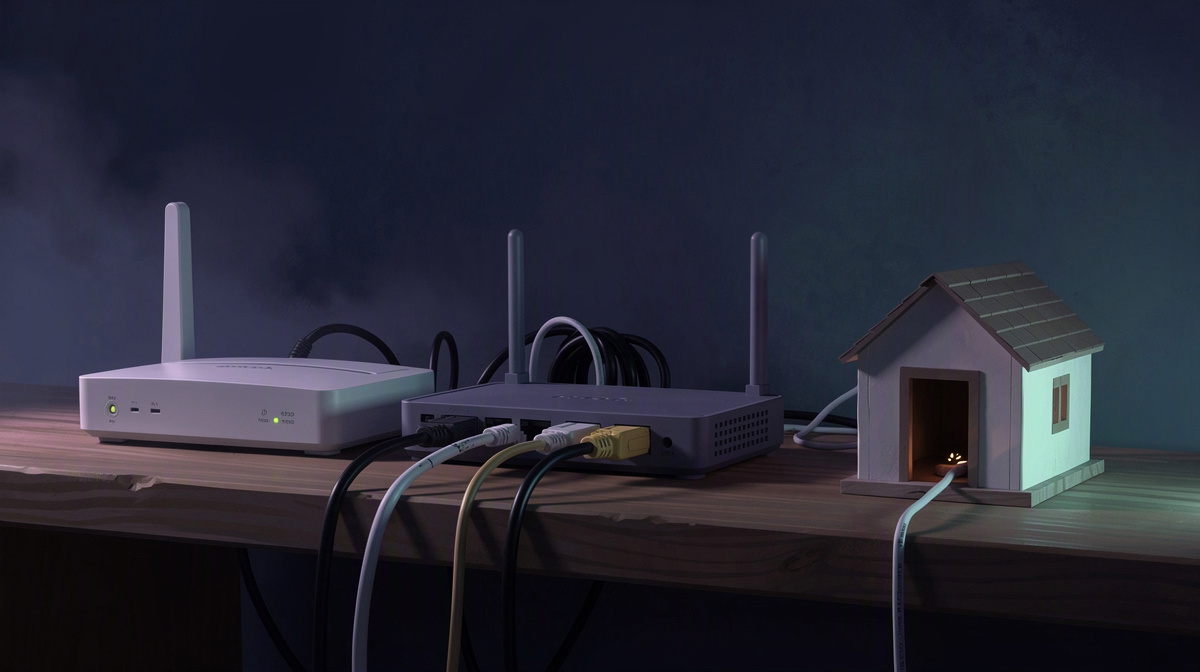
Port forwarding is a simple idea wrapped in network language. Your home router is the device that receives traffic coming in from the internet, and port forwarding tells that router which device inside your home network should receive certain connection requests.
That matters for game servers because friends outside your home need a way to reach the machine running the server. A server can work fine on your own Wi-Fi or between devices in the same house, but that does not automatically mean people elsewhere can join it.
The reason is that your local network and the wider internet are not the same thing. Inside your home, your devices can see each other more directly. From outside, incoming traffic first reaches your router. Without clear instructions, the router may not know which device should get a connection meant for your game server.
A port is best thought of as a numbered doorway. The internet address gets traffic to the right building, and the port helps separate what kind of traffic is trying to get in and where it should go. Port forwarding is the rule that says which internal device should receive traffic arriving at a given doorway.
A quick way to picture it: it is like telling a building receptionist which apartment a visitor should be sent to.
It is also important to keep expectations realistic. Port forwarding does not create a server, install one, or make a game run by itself. It only helps outside players reach a server that is already up and waiting for connections.
That is why people searching “port forwarding” are often really asking a broader question: how do I make my private game server reachable for friends? You can see the same question come up in guides for different games and server setups.
Why Friends Setting Up a CS2 Server Look It Up
For a group that wants a private Counter-Strike 2 server, the goal is usually simple: a place to scrim, practice, or just play together without the randomness of public matchmaking. That is exactly why so many people end up searching for port forwarding.
When one friend tries to host from a home PC, the hard part is often not just getting the server running. The bigger issue is making it reachable from outside the home network so everyone else can actually join.
That is where the usual friction starts:
- getting access to the router
- dealing with home internet details that can change
- figuring out whether the server is online at all
- troubleshooting why one friend can connect while another cannot
Most people looking up port forwarding are not doing it because they want to learn networking for its own sake. They are trying to get game night working before everyone gives up and goes back to public matches.
For a temporary server among friends, less setup hassle can matter just as much as performance. If the server is only for tonight, or for a few evenings here and there, spending that time on network troubleshooting can feel like the wrong problem to solve.
That is why a hosted server is often the simpler route. Instead of exposing a PC at home to the internet, the group uses a server that is already online and then shares the address with everyone who is joining.
If you are weighing that option for your group, a helpful related read is this guide to hosting a private CS2 server.
When You Do and Don’t Need Port Forwarding
Port forwarding matters when a game server lives on a device inside your home and people outside your home want to reach it. That is the case where your router may need a rule so incoming traffic gets sent to the right machine.
You usually do not need port forwarding when the server is already hosted on the internet. Then the main job is much simpler: start the server and share the address your friends should use.
For a group of friends planning private Counter-Strike 2 matches, the easiest way to tell which case you are in is to ask one question: where is the server running?
- on a PC in your home: port forwarding may be part of setup
- on a hosted server online: port forwarding is usually not your task
That also helps with basic troubleshooting. If friends cannot join, check the simple things first:
- is the server actually started
- did you send the correct address
- are you testing from inside the same home, or from somewhere else
People often use “port forwarding” as a catch-all term for any connection problem, but not every join issue comes from router settings. Sometimes the confusion is just about the difference between a local network and an internet-facing server. The same mix-up shows up in basic IP and port questions for other games too.
If you want to skip home-network setup for CS2, EphemeralHost lets your group create the server in the browser, pick the slots, start it in the panel or with /start in Discord, and share the address shown there. Counter-Strike 2 runs on the Performance tier, a dedicated VM, from 0.99 €/h.
A Simpler Way to Get a Counter-Strike 2 Server Online

For many friend groups, the simpler answer is not more router work. It is using a server that is already on the internet and then sharing the address with the people who are joining.
With EphemeralHost, the basic flow is straightforward:
- create the Counter-Strike 2 server in the browser
- pick the slots
- start it in the panel or with
/startin Discord - send your friends the address the panel shows
That means your group does not need to deal with exposing a home PC just to let outside players connect. In port forwarding terms, that is the practical difference: instead of making your own home network reachable for the match, you start a hosted server and join the address you are given.
For Counter-Strike 2, EphemeralHost uses the Performance tier, a dedicated VM. The price is from 0.99 €/h.
The billing model also fits occasional play sessions. Charges are billed per minute, and you can check the public price list. Prepaid credit has no subscription and does not expire, which makes it easier to treat a private server as something you start when your group wants games rather than something you need to keep running all month. There is also €2 starter credit for Discord accounts at least 30 days old.
Another practical point for friends who do not play every day: when nobody is online, the server pauses by itself after 20 minutes by default. The pause setting can be adjusted to 1 hour, 3 hours, or never.
If you have seen the same question in other games, that pattern is not unique to CS2. Friend groups run into similar choices in guides for OpenTTD, ARK, Luanti, 7 Days to Die, and Enshrouded: host from home and handle the networking side, or use a server that is already reachable online.
Common Questions About Port Forwarding
Is port forwarding the same thing as making a server public?
Not exactly. Port forwarding is one way to let traffic from the internet reach a game server on a device in your home.
It does not turn a match into a public listing by itself. It just opens a path from your router to the machine running the server. You still need the server itself to be set up and running.
Why does home hosting feel harder than expected?
Because there are two separate jobs:
- run the game server
- make it reachable from outside your home
People often solve the first part and then get stuck on the second. That is why "port forwarding" becomes the search term, even when the real goal is simply "how do I let my friends join?"
Does port forwarding help if the server is not running?
No. It only affects how incoming connections are routed.
If the server is off, paused, or not started correctly, forwarding does not fix that. A join problem can come from several simple causes, including:
- the server is not running
- the address was copied wrong
- the host is testing in a different way than their friends
If we only play sometimes, do we need to leave a server on?
Not on EphemeralHost. For Counter-Strike 2, your group can create the server in the browser, choose the slots, start it in the panel or with /start in Discord, and send out the address shown there.
Counter-Strike 2 runs on the Performance tier, a dedicated VM, from 0.99 €/h.
When nobody is online, the server pauses by itself after 20 minutes by default. That setting can be adjusted per server to 1 hour, 3 hours or never.
So what is the simplest answer for friends who just want to play?
If you are hosting from home, port forwarding may be part of the job.
If you want the shortest path to getting friends into a private Counter-Strike 2 server, use a hosted server, start it, and share the address it shows.
The Short Answer for Friends Hosting CS2
Port forwarding mainly matters when you are trying to host a Counter-Strike 2 server from your own home network and want friends outside your home to join it. If your real goal is simply to get a private server online for your group, a hosted server is the more direct route: start it, share the address shown in the panel, and play.
For occasional match nights, that can be a lot simpler than turning router and connection troubleshooting into part of the plan. With Counter-Strike 2 on EphemeralHost, pricing starts from 0.99 €/h, and when nobody is online, the server pauses by itself after 20 minutes by default. If you want the exact Counter-Strike 2 details for your group, check the game page.