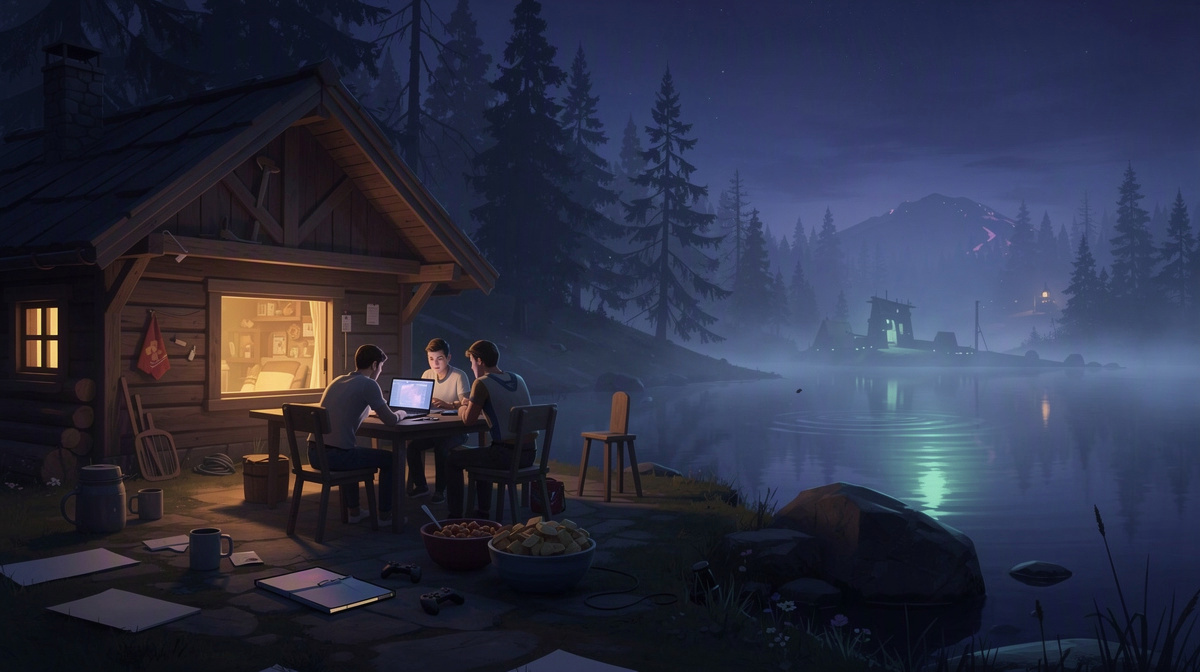
People searching for “valheim server cost” usually want to know how much a private server costs for a group of friends and whether they have to pay all day. On EphemeralHost, a Valheim dedicated server cost starts from 0.25 €/h, billed per minute while it runs. You can check the current public price list and see Valheim on EphemeralHost before creating one.
This article explains what that cost means in practice for a group, how the server is started, what happens when nobody is online, and what to expect before you set up a shared world for friends.
What a Valheim Server Cost Means for a Group
For a group of friends, the simple starting point is this: Valheim on EphemeralHost starts from 0.25 €/h. That is the base number most people mean when they search for server cost, but it helps to read it as usage-based spending rather than as a fixed monthly bill.
Billing is per minute. In practice, that means your group pays for the time the server is actually running, instead of paying as if it had to stay online all day whether anyone is playing or not. You can see the current rates and how per-minute billing works on the public price list.
The public price list includes 19% VAT, so the listed price is meant to be straightforward to read. Payment uses prepaid credit rather than a subscription, and that prepaid credit never expires. For many groups, that matters because a shared Valheim world is often something friends return to in sessions: a few evenings here and there, then a longer break, then another weekend together.
So the real question is usually not just “what is the hourly price?” but “how many hours do we actually want the server running over time?” That is a more useful way to think about cost for a private world shared by friends.
This pay-for-playtime model often makes more sense for groups than treating server hosting like a permanent rental. If you are still deciding what kind of setup fits your group, private servers compared with public ones can help with that side of the choice. And if you want the practical next step after understanding cost, hosting a Valheim server for friends covers the friend-group flow.
How the Server Runs Only While You Play

A group can set up a Valheim server right in the browser. During setup, they choose the slots they want, finish creating the server, and then start it when they are ready to play. That start can happen in the panel or with /start in Discord, which gives friends a simple way to bring the world online for a session.
Once it is running, the panel shows the address to share with the rest of the group. So the flow is straightforward:
- create the server in the browser
- pick the slots during setup
- start it in the panel or with
/startin Discord - share the address the panel shows
The part that matters most for cost is what happens after the session ends. When nobody is online, the server pauses by itself after 20 minutes. That pause timer can be changed per server to 1 hour, 3 hours, or never, depending on how your group plays and whether you want a shorter or longer gap before it stops running.
When the server pauses, the world stays saved. In practical terms, that means your group can treat it like a shared place to come back to, without needing someone to leave the server running after everyone logs off for the night.
That same basic idea is useful in other multiplayer setups too, whether you are comparing session styles in co-op versus dedicated play, looking at non-dedicated and dedicated options, or planning a server for friends. It is also a practical pattern for groups thinking about crossplay on a private server, friend-only match sessions, or a while-you-play cost model.
What You’re Actually Paying For
Valheim on EphemeralHost runs on the Casual tier. For this game, that means the server runs in a container. It is not on the Performance tier’s VM, and for most groups that detail matters less than the practical result: you can bring the server online when your friends want to play together, then stop paying when it is no longer running.
That is the useful way to read the cost. Most people comparing a Valheim server cost are really asking whether the server fits the way their group plays, not whether the setup uses one underlying format or another.
There are also optional add-ons, and those are billed only while the server runs. One example is Backup-Plus, which adds hourly backups and keeps 30 days for +€0.05/h.
For games with a world, there is also a standard backup behavior to know about:
- a backup is created at every pause
- the last 3 backups are kept for free
So the basic price is about having a private Valheim server ready for shared sessions, while optional extras can change how much protection or convenience you want around that world. The important part for a group of friends is usually simple: the server is there for your session, the world stays saved when it pauses, and any add-ons only add to the bill for the time the server is actually running.
How to Estimate Your Group’s Real Valheim Server Cost

When people search for valheim server cost, they usually want a simple way to turn from 0.25 €/h into a realistic number for their own group. The easiest method is to base it on actual play habits instead of guessing at a full-time server.
Start with three questions:
- How many sessions does your group usually have?
- About how long is a normal session?
- Do you want any paid add-ons while the server runs?
That gives you a practical estimate because Valheim is billed per minute while the server is running. So a group that plays now and then will spend differently from one that logs in several nights each week.
It also helps to think about gaps between sessions. If your friends take breaks for days or weeks, prepaid credit can fit that pattern because there is no subscription and the credit never expires. You are topping up for shared playtime, not committing to an ongoing plan.
If your group wants extra backup history, Backup-Plus is +€0.05/h while the server runs. For games with a world, the standard setup also creates a backup at every pause and keeps the last 3 backups for free.
For a scheduled game night, there is another way to estimate: the optional event pass. It covers one evening of 4 hours at a fixed price 10% below the per-minute price, paid up front and free to cancel before it starts.
So the clearest estimate is not monthly. It is: your group’s usual session time, plus any add-ons you choose, billed only while the server runs.
When a Private Valheim Server Makes Sense
A private Valheim server makes sense when your friends want the world to belong to the group, not to one person’s login. It gives everyone a shared base for building, exploring, and continuing the same adventure across different evenings.
This is especially useful for groups like these:
- friends who cannot all play at the same time every session
- a group that wants one place to keep progress together
- players who want joining to be as simple as sharing one server address
- people who play in bursts and do not want to manage a subscription between sessions
It also fits groups that want less friction around game night. One person can create the server in the browser, choose the slots, start it in the panel or with /start in Discord, and send the address shown in the panel. After that, the group can focus on playing instead of organizing who is hosting.
For Valheim in particular, this kind of setup is most useful when you expect to return to the same world over time. If your friends want a shared place that is ready for the next session, while offline time does not need to be treated like active playtime, a private server is often the cleaner option.
Common Questions About Valheim Server Cost
Is Valheim charged as a monthly plan?
No. Valheim starts from 0.25 €/h and is billed per minute while the server runs.
That means the total cost depends on how much your group actually plays. Hosting uses prepaid credit, not a subscription, and prepaid credit never expires. If your group plays in phases, you can top up credit and use it over time instead of paying for an ongoing plan.
What happens if everyone logs off?
By default, the server pauses itself after 20 minutes with nobody online. You can change that per server to:
- 1 hour
- 3 hours
- never
This lets your group decide how quickly the server should stop running after a session ends.
If the server pauses, do we lose our world?
No. When the server pauses, the world stays saved.
For games with a world, a backup is made at every pause, and the last 3 backups are kept for free. If your group wants a longer backup history, Backup-Plus adds hourly backups and keeps 30 days for +€0.05/h.
Can we add extras only for the time we play?
Yes. Add-ons are billed only while the server runs.
For Valheim, that matters most if your group wants Backup-Plus. The extra cost applies only during runtime, not while the server is paused.
Is there a fixed-price option for one game night?
Yes. There is an optional event pass for one evening of 4 hours at a fixed price 10% below the per-minute price. It is paid up front and free to cancel before it starts.
That can be useful if your group is planning a scheduled Valheim session and wants a set price for that evening.
A Simple Way to Keep Valheim Server Cost Under Control
A Valheim dedicated server cost on EphemeralHost starts from 0.25 €/h and is billed per minute while it runs. For most friend groups, that makes the cost easier to manage because you are paying for play sessions, not for time nobody is using.
In simple terms, the flow is:
- start the server when your group wants to play
- share the address with friends
- let it pause itself when nobody is online
When it pauses, the world stays saved. That lets your group come back to the same shared world without treating offline time like active server time.
Before you create one, it is worth checking the Valheim details and current pricing.