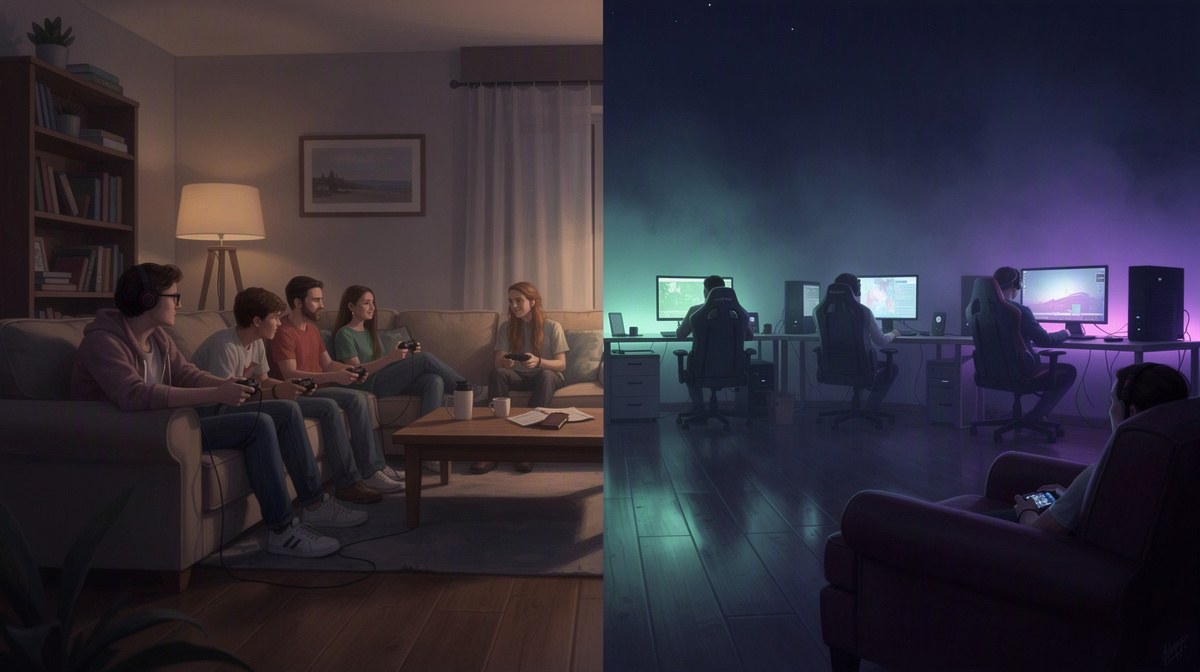
Palworld private vs community servers is usually a search from friends trying to figure out which setup fits their group. This guide helps you decide. In simple terms, a private server is for your invited group, while a community server is a shared space with a wider mix of players. Before choosing, most groups want clear answers on privacy, control, how sessions feel, cost, and how hard it is to get started. If your goal is a shared world for your own game nights, this article keeps the comparison practical and points to how to host a server for friends when you want the next step.
What changes between a private and a community server
With Palworld private vs community servers, the real difference is not the map. It is who shares the world with you, and what that means for day-to-day play.
A private server is centered on one friend group. The people joining are the people you invite, so the world usually develops around your group’s own plans, pace, and play times.
A community server is shared more broadly. Even if it has rules or regulars, it is still built around a larger pool of players rather than one fixed circle of friends.
That affects a few practical things:
- Access: private is limited to your group; community is more open.
- Social feel: private tends to feel more familiar; community brings more unexpected interactions.
- Decision-making: private groups can decide together how they want the world to feel; community spaces usually reflect many players at once.
- Session flow: private works well when the same people want to return to the same shared progress; community can suit players who like logging into a world that is active beyond their own group.
Neither option is automatically better. They solve different problems.
Choose private if your main question is, “How do we get a world that feels like ours?” Choose community if your question is, “How do we find a world with more people in it?”
For friends comparing options, the easiest test is whether you want the server to feel like a shared group space or a wider multiplayer space.
If you want to see how the same choice plays out in another survival game, this similar comparison in Valheim looks at the same tradeoff from a different angle.
Why many friend groups choose private for Palworld

Many friend groups choose private for Palworld because they want to decide who gets the server address and keep each session limited to people they know. That alone changes the mood of the whole experience. Instead of wondering who else may appear, the group can focus on playing together in a space that feels familiar.
There is also a comfort factor. On a private server, friends can experiment, build, explore, and learn at their own pace without the extra pressure of a wider crowd. That matters when some people are brand new, others play more casually, or the group simply wants room to figure things out together.
Private play also tends to work better for mixed schedules. Your server is there for your group’s sessions, rather than following the rhythm of a larger community. If one friend is free on weeknights and another only joins on weekends, it is easier to treat the world as a shared place for your own plans.
For a lot of groups, that leads to a simple goal: a world that feels like our game night world. A private server is often the better fit when you do not want the space to feel open to changes by people outside your circle.
Small groups usually like clearer ownership over decisions too, such as:
- when to start a new world
- how fast to move through progression
- what kind of group habits feel fun
Private servers can also reduce friction around social fit. Friends already know each other, so expectations are usually clearer than on a broad public server.
If you want more control after the server is running, this guide to admin commands on private servers is a useful next step.
When a community server may fit better
A community server can be the better fit when your group is not really trying to keep Palworld to just friends.
This usually comes up in a few situations:
- only one or two friends join regularly
- your group’s play times rarely line up
- people want a world that feels populated without organizing every session
- part of the fun is meeting unfamiliar players
In those cases, a shared server can be easier to drop into. You are not depending on the same small circle to make the world feel active, and the social side may feel looser if your plans change week to week.
That also changes what you give up. A community world is less centered on your group, so your own routines, pace, and preferences matter less than they would on a private server. If your friends mainly want a familiar place to return to together, that tradeoff may not feel worth it.
So the practical question is not which option sounds bigger. It is whether you want belonging or variety.
If you are comparing the same choice in other games, the tradeoff is similar in this Minecraft comparison and in this Rust guide.
How to get a Palworld server for friends on EphemeralHost
If your group wants a private Palworld server, the basic setup is short. You create the server in the browser, choose how many slots you want, and then start it when your group is ready to play. You can do that from the panel or with /start in Discord, which is handy when your plans come together in chat.
Once the server is running, the panel shows the server address. That gives one person in the group a simple way to pass the details on to everyone else. We will keep the how-to here at that level, because the Palworld page covers Palworld-specific price and join information in one place.
For cost, Palworld on EphemeralHost starts from 0.25 €/h. Billing is per minute instead of a flat monthly fee, which suits groups that mostly play in sessions rather than keeping a server online all day. You can also see the broader price list billed per minute if you want the format in one overview.
That matters for friend groups because the server does not need to stay active between game nights just to hold onto your world. When nobody is online, it pauses by itself and the world stays saved. If you want a plain-English explanation of why that matters, this guide on what a save file is is a useful background read.
In practice, that makes private play easier to justify for groups that want one shared world without treating it like a 24/7 commitment. You start it when you want to play, share the address with friends, and let it pause again after the session. For Palworld-specific details, check the Palworld server page.
Cost, saves, and what matters day to day

The day-to-day question is less about setup and more about rhythm: do you want a world that waits for your group between sessions? For friends who play Palworld in planned bursts, a private server can make sense because billing starts from 0.25 €/h and runs per minute, instead of pushing you toward a fixed monthly habit.
Prepaid credit also fits that stop-and-start pattern. There is no subscription, and credit does not expire. If your Discord account is at least 30 days old, you can get €2 starter credit. That gives small groups a simple way to cover an early session without changing how they plan future game nights.
The other practical piece is persistence. When nobody is online, the server pauses by itself and the world stays saved, so your group can return to the same shared progress later.
For games with a world, backups are made at every pause, and the last 3 backups are kept for free. That matters most when your group wants one ongoing world rather than a series of throwaway sessions.
If you are comparing private-server tradeoffs across genres, the same basic questions show up in this Counter-Strike 2 virtual private server guide and this ARK crossplay on a private server article.
Common questions about Palworld private vs community servers
Which one usually fits a friends-only group?
If the plan is a world just for your own group, private is usually the clearer fit. It keeps the server centered on the people you invite, so your sessions are shaped by your group instead of a broader mix of players.
Community can fit better if your group wants a more open social space and does not mind sharing it with others.
What do we actually need to do to get started?
One person can set it up in a few basic steps:
- create the Palworld server in the browser
- pick the slots
- start it in the panel or with
/startin Discord - send friends the address shown in the panel
That is enough for a group to get into the same world together.
How is Palworld billed?
Palworld starts from 0.25 €/h. Billing is per minute, so the cost follows the time the server runs.
Payment uses prepaid credit. There is no subscription, and credit never expires. Discord accounts at least 30 days old can get €2 starter credit.
What happens between sessions?
When nobody is online, the server pauses by itself. The world stays saved, so your group can come back to the same progress later instead of treating each session like a fresh start.
For games with a world, a backup is also made at every pause, and the last 3 backups are kept for free.
Which option is better for your group?
For a friends-only Palworld world, the better choice usually comes down to one question: do you want to decide who is there?
- Pick private if the world is mainly for your own group and you want to play together on your own schedule.
- Pick community if having more people around matters more than keeping the space to invited friends.
If your plan is simple game nights with the same people, private usually matches that goal more closely.