
How much RAM to host a Valheim server usually comes down to the size of your group and how busy your world is. For a friends-only server, small groups can start modestly, while larger or busier worlds should leave more headroom. On EphemeralHost, Valheim starts from 0.25 €/h on the public price list.
This guide is for friends who want their own Valheim world without overthinking the numbers too early. It will show how player count, world activity, and add-ons can change RAM needs, then point you to how to get a server running for your group on EphemeralHost from 0.25 €/h. If you want the practical next step after sizing RAM, read how to host a Valheim server for friends.
A good RAM starting point for most Valheim groups

If you searched how much RAM to host a Valheim server, the most useful starting answer is this: choose enough RAM for the group you actually have now, not for the biggest world you might build later.
For most friends-only servers, RAM needs usually track three simple things:
- how many people are on together
- how much of the world your group uses regularly
- how crowded your usual hangouts have become
That means a new world for a few friends is often lighter than a long-running world where everyone returns to the same base, stores more gear, and plays in the same areas night after night.
A practical way to think about it is to start small, then watch how your sessions feel when your full group is online. If play stays comfortable, there is no strong reason to size up early. If your world becomes busier over time, more RAM can make sense later.
This is why there is not one perfect number that fits every Valheim group. Two servers with the same number of players can need different amounts of memory depending on how settled the world is and how much activity happens in the same place at once.
Cost matters too when you are deciding how cautious to be. Valheim starts from 0.25 €/h, and billing is per minute on the public price list. That makes it easier to begin with a sensible baseline for your current group instead of paying for headroom you may not need yet.
For most groups of friends, the better question is not "What is the maximum RAM I could need?" It is "What is enough RAM for the way we play right now?" That framing usually leads to a simpler and more affordable choice.
What changes Valheim server RAM usage the most
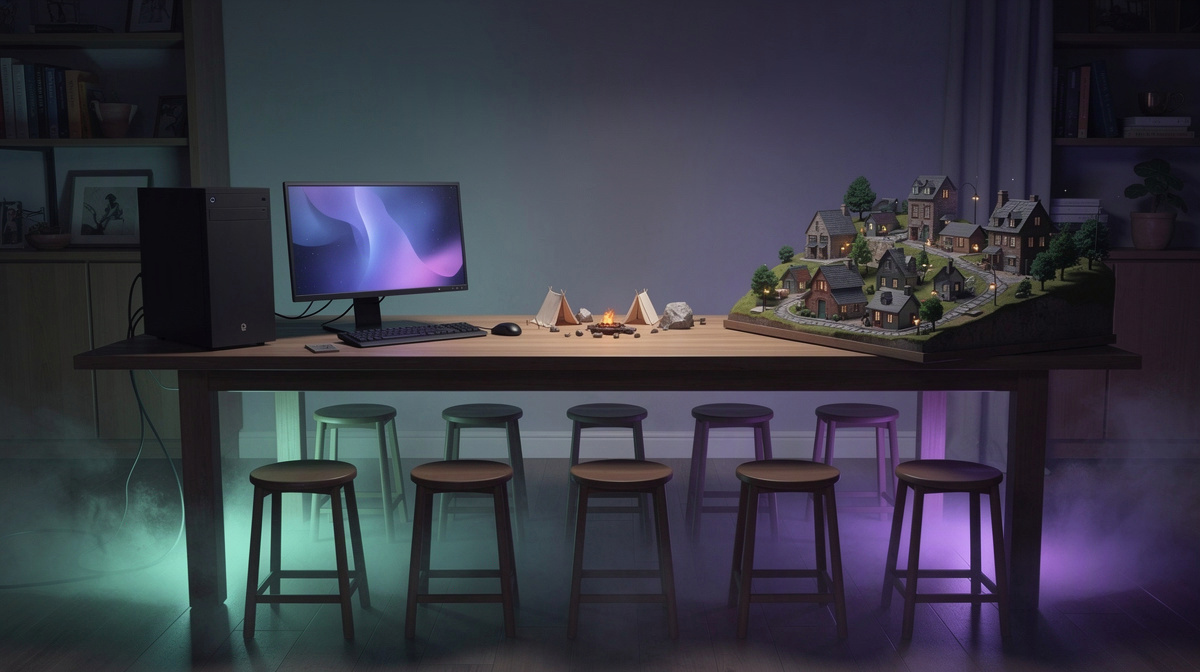
The biggest RAM changes usually come from what your group does at the same time, not from one fixed server size on paper.
The first thing to watch is overlap. If friends join one by one for quiet trips, memory demand is often lower than on nights when everyone is online, traveling, fighting, crafting, and returning to the same base together. The more shared activity happens at once, the more room the server may need.
The next factor is how developed your world has become. A newer world is often lighter. After many sessions, that can change as your group adds more places it uses often, keeps more items around, and spends more time in established home areas instead of spreading out.
It also helps to think about concentration, not just scale:
- busy hubs tend to be heavier than scattered outposts
- repeated group sessions can raise demand more than occasional solo check-ins
- long-running worlds often need more headroom than fresh starts
- added content can push memory use up, so leaving some margin is sensible
Valheim is not unusual here. Different games lean on servers in different ways, which is why a Squad guide, an OpenTTD guide, a Luanti guide, a 7 Days to Die guide, an Enshrouded guide, a Satisfactory guide, and a Factorio guide reach different sizing advice.
For Valheim, the practical question is simple: how many friends are active together, and how built-up are the places you keep coming back to?
How to choose without overpaying
If you searched how much RAM to host a Valheim server, the practical goal is not finding the biggest number. It is avoiding a setup that is larger than your group really uses.
A good choice usually comes from your regular night, not your most crowded one. Think about the sessions you have most often:
- how many friends are usually online together
- whether everyone gathers in the same familiar places
- whether your world is still simple or has become more lived-in over time
- whether added content is part of the plan
That kind of check is more useful than guessing far ahead. Many groups do not need to size for every possible future build or every rare evening when more people show up.
The budget side matters too. Valheim starts from 0.25 €/h. Because billing is per minute, it can make sense to begin with a sensible starting point for the world you have now instead of paying for extra headroom too early.
Another way to keep costs in line is to remember how the server is used. Your group can start it when you want to play, and when nobody is online it pauses by itself while the world stays saved. That means the server does not need to keep running between sessions just to hold your progress.
For most private Valheim groups, the simplest approach is:
- pick a reasonable starting size
- judge it by normal play sessions
- reconsider only after your world and group habits clearly change
How a group gets a Valheim server running
For most friend groups, the setup flow is simple. You create the Valheim server in the browser, choose the number of slots you want, start it in the panel or with /start in Discord, and then share the address shown in the panel with everyone joining.
That is the main decision point for this article: not deep setup details, but whether the server is easy to start for the kind of group you have. If you are mainly comparing RAM needs and cost, the practical part is that Valheim starts from 0.25 €/h and you can bring it online when your group is ready to play.
One expectation is worth setting clearly. Valheim runs on the Casual tier as a container, so this guide is not the place to discuss hardware details for it. What matters more here is choosing a sensible amount of RAM for your group size and world activity.
There is also no need to go into technical join steps in this section. Each game page lists the steps to join. If you want the full group walkthrough after deciding on RAM, read the friends guide.
Common questions about Valheim server RAM
How much RAM to host a Valheim server for 2 to 4 friends?
For 2 to 4 friends, the usual goal is not a big buffer. It is enough room for the way your group actually plays. A newer world with casual sessions often needs less headroom than a world where everyone is on together for long stretches.
A small group should think about things like:
- whether everyone joins at the same time
- how often you gather in one main base
- how established the world already is
- whether added content is part of the plan
For many friend groups, that makes a modest starting point the practical choice.
Does a long-running world change the RAM picture?
Yes, it often does. The longer a world stays active, the more likely it is that your regular areas become busier. More returning trips, more stored gear, and more activity around the same places can all make the server need more breathing room than it did at the start.
That is why a RAM choice that felt fine early on may be less comfortable later, even with the same group size.
Is it better to size for every future plan now?
Usually not. If you are searching how much RAM to host a Valheim server, the more useful answer is to size for your normal sessions rather than your biggest possible future build.
Planning around real use helps keep the decision simpler:
- how many friends usually play together
- how busy your main areas are
- how often your group pushes the world hard at once
What if our group is unsure and just wants to start?
Then keep the first choice simple. On EphemeralHost, Valheim starts from 0.25 €/h. That makes it reasonable to begin with a setup that fits your current group, then revisit the RAM question after you have a better feel for your usual sessions.
Pick a sensible starting size and adjust later
For friends searching how much RAM to host a Valheim server, the safest conclusion is usually not to plan around the biggest version of your world. Pick a size that suits the group you actually have, then revisit it after you have a clearer feel for your usual nights.
That also keeps the hosting decision straightforward:
- start the server when your group wants to play
- pay per minute from 0.25 €/h
- let it pause by itself when nobody is online, with the world staying saved
So the practical move is to begin with a reasonable baseline and learn from real sessions. See the price and how to start.